Separate workspaces. One operating rhythm.
Move between leadership, customer service, line service, facilities, or any team board from the same refined navigation.
OpsSuiteX brings live boards, task ownership, due dates, contacts, permissions, activity, and team coordination into one deliberate workspace built to feel as polished as the operation it supports.
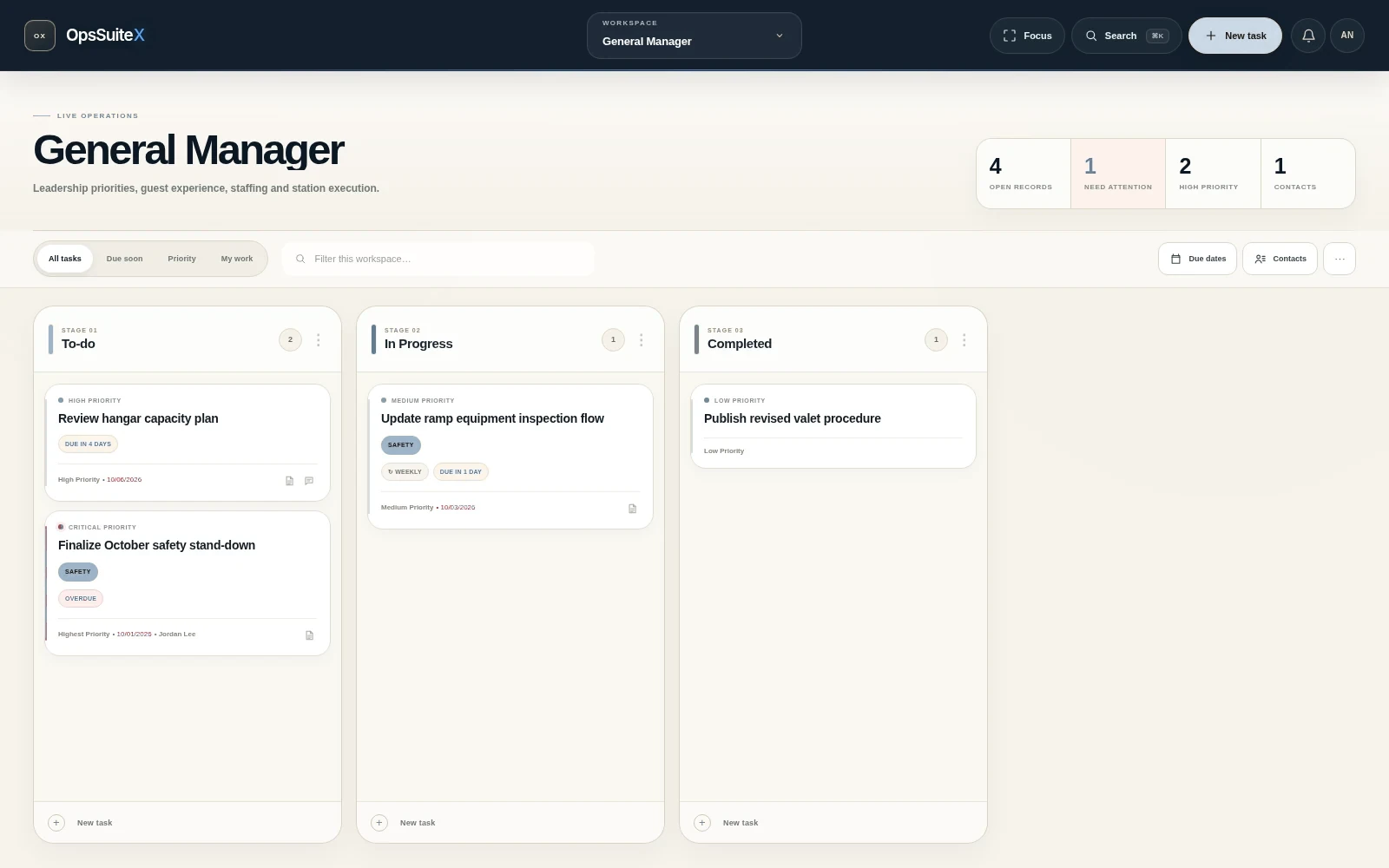
OpsSuiteX is designed around the things operations teams actually need to see, move, assign, revisit, and finish—without turning the workspace into visual noise.
Move between leadership, customer service, line service, facilities, or any team board from the same refined navigation.
Priority levels, due-state indicators, tags, and filters make the board readable at a glance instead of forcing everyone to open every task.
Contacts, descriptions, recurring schedules, comments, private cards, and card history stay attached to the work itself.
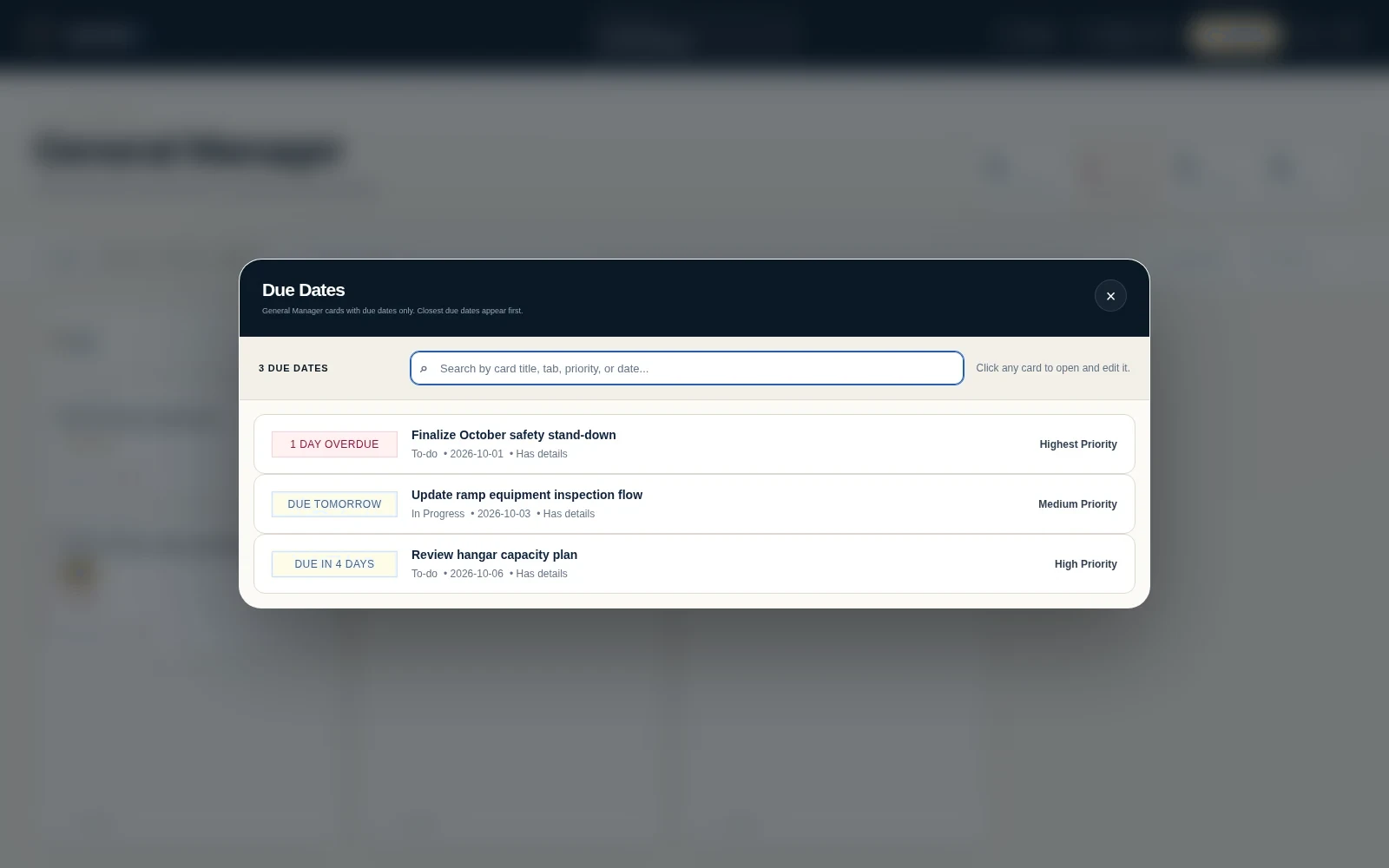
See time-sensitive cards together, search them quickly, then open the task directly from the schedule view.
Keep vendor and operational contacts on the board and connect them directly to the task where they matter.
Admins can manage members and operational permissions while teams keep working in the same shared environment.
The redesigned board uses the same restrained Velsaire Reserve visual language—deep navy, crisp white, graphite, silver, strong spacing, and quiet detail—while giving the operation more useful controls than a traditional kanban board.
Create a task where the team already works. No separate tracker required.
Set priority, due date, contact, description, recurrence, and visibility.
Drag cards and lists while OpsSuiteX keeps the shared board synchronized.
Comments, due-state views, changelog entries, and activity keep the work traceable.
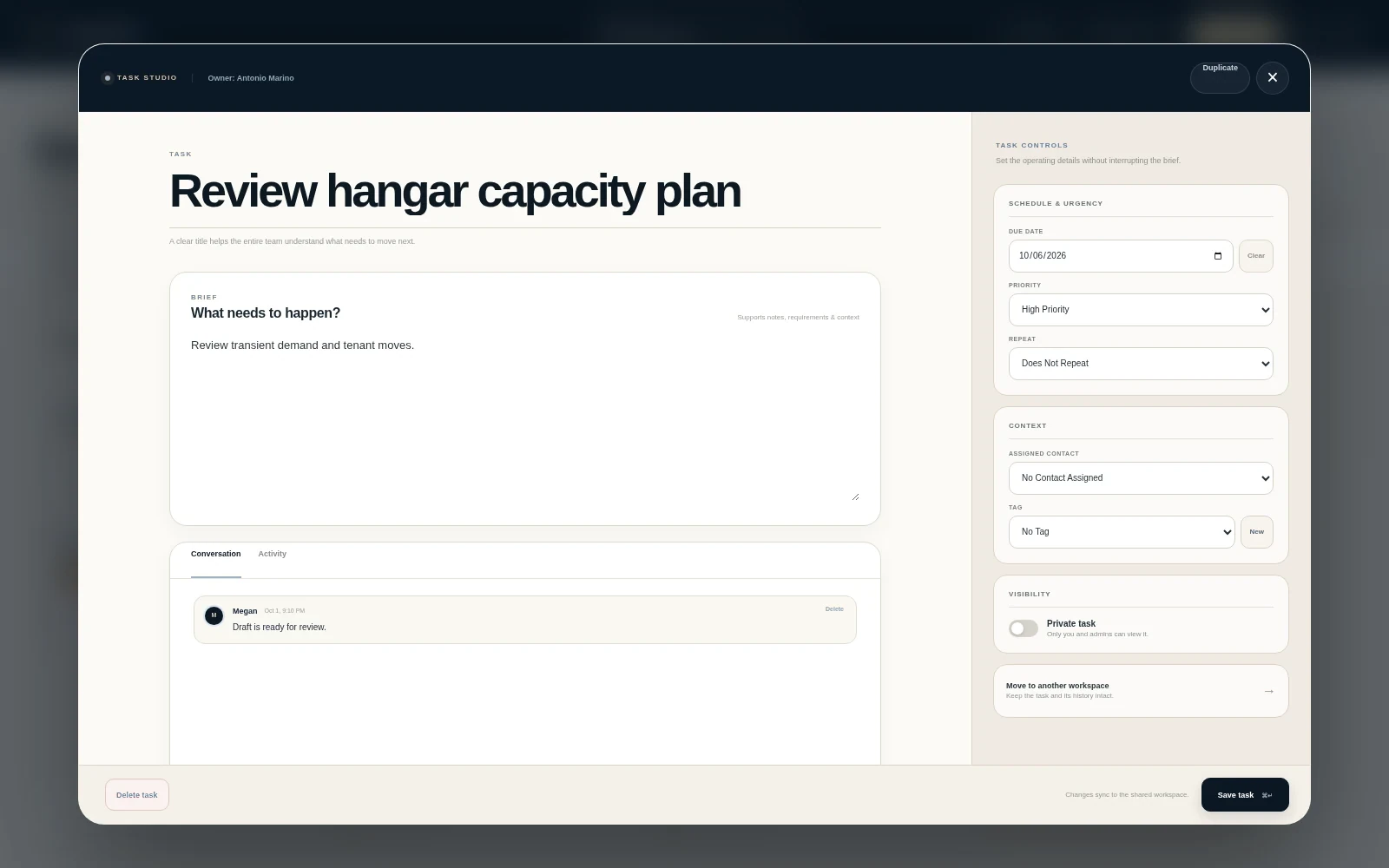
Opening a card no longer feels like a generic note editor. The new Task Studio separates the working brief from task controls, contacts, conversation, activity, privacy, and workspace transfer in a deliberate full-screen detail experience.
The board stays visual, while the due-date workspace gives leadership a focused view of what needs attention. Search by task, list, priority, or date, then jump directly into the card.
OpsSuiteX keeps members, permissions, contacts, notifications, private cards, and change history within the same product. The interface stays restrained even as the workflow gets more capable.
A more deliberate workspace for the people responsible for keeping everything moving.